There are a few common loops that is used in C: while loop, do while loop and for loop.
while loop:
while (1)
{
};
The while loop above is an infinite loop.
for loop:
for (condition = 0; condition < set value; condition ++)
{
}
This loop is suppose to count up until it meet the condition meet the set value. To make a count down loop, set condition to a value, and as long as the condition > set value, condition -- .
Do while loop:
do
{
}while(condition != 0);
This loop will do at least once to check the condition is met or not. If the condition is not met, the program will exit. The while loop and for loop on the other hand, will check whether the condition is net before executing the program.
Tuesday, December 14, 2010

Tortoise SVN
Another great software for source code management for window users.
http://tortoisesvn.tigris.org/
http://tortoisesvn.tigris.org/
Tortoise Hg
Tortoise Hg is one of the source code management software to manage all the changes and modification done on your codes without having fear that the code has been wrongly modified and unrecovered. With tortoise, you can trace back the modfications that has been done to the codes, if you commit to the repository when each changes has been done.

Steps to use tortoise:
1. Configure tortoise setting by: Global settings -> tortoise hg -> commit -> enter user name
2. Initiate repository, that is which files/folders/source codes that needs back up
3. Add files to the repository
4. Commit when changes is done.
5.Use the Hg Repository Explorer in the folder the the files is commited to view all the changes done to the file.
Tortoise Hg is open source: http://tortoisehg.bitbucket.org/
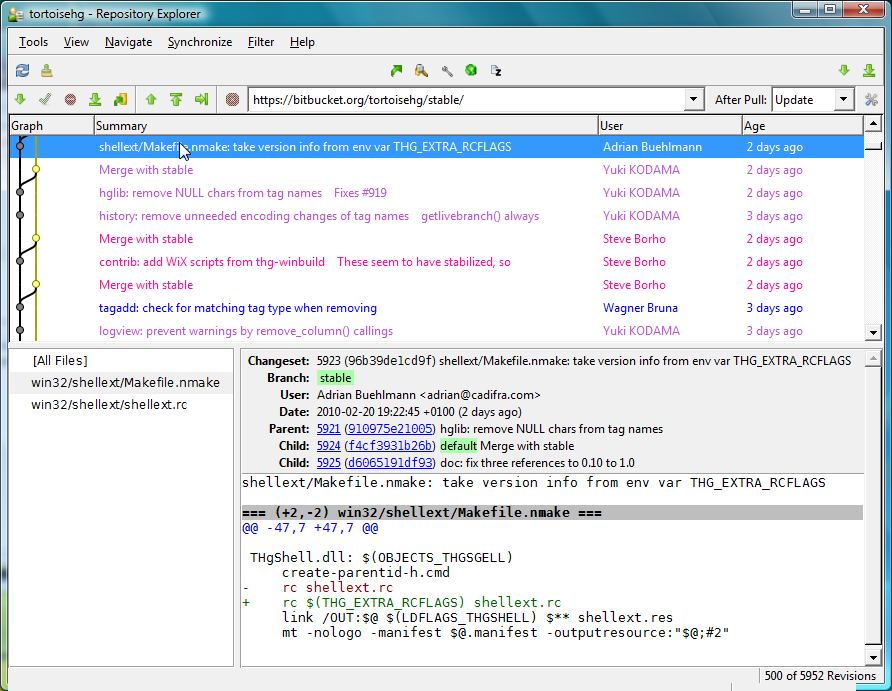
Steps to use tortoise:
1. Configure tortoise setting by: Global settings -> tortoise hg -> commit -> enter user name
2. Initiate repository, that is which files/folders/source codes that needs back up
3. Add files to the repository
4. Commit when changes is done.
5.Use the Hg Repository Explorer in the folder the the files is commited to view all the changes done to the file.
Tortoise Hg is open source: http://tortoisehg.bitbucket.org/
Microchip is coming up with MPLAB X
MPLAB X is the nex generation of MPLAB, netbean based, which have the similar look of eclipse with features: CVS, Subversion and Mercurial for source code management. Other features include: easy function viewer, linking between modules as well as autocomplete keywords :)
Downside:
Those who have not used eclipse before, need to familiarize themselves with the new outlook of MPLAB X.
To get your MPLAB X Beta to try it out: http://ww1.microchip.com/downloads/mplab/X_Beta/index.html
Downside:
Those who have not used eclipse before, need to familiarize themselves with the new outlook of MPLAB X.
To get your MPLAB X Beta to try it out: http://ww1.microchip.com/downloads/mplab/X_Beta/index.html
Saturday, September 18, 2010
Docking windows in MPLAB
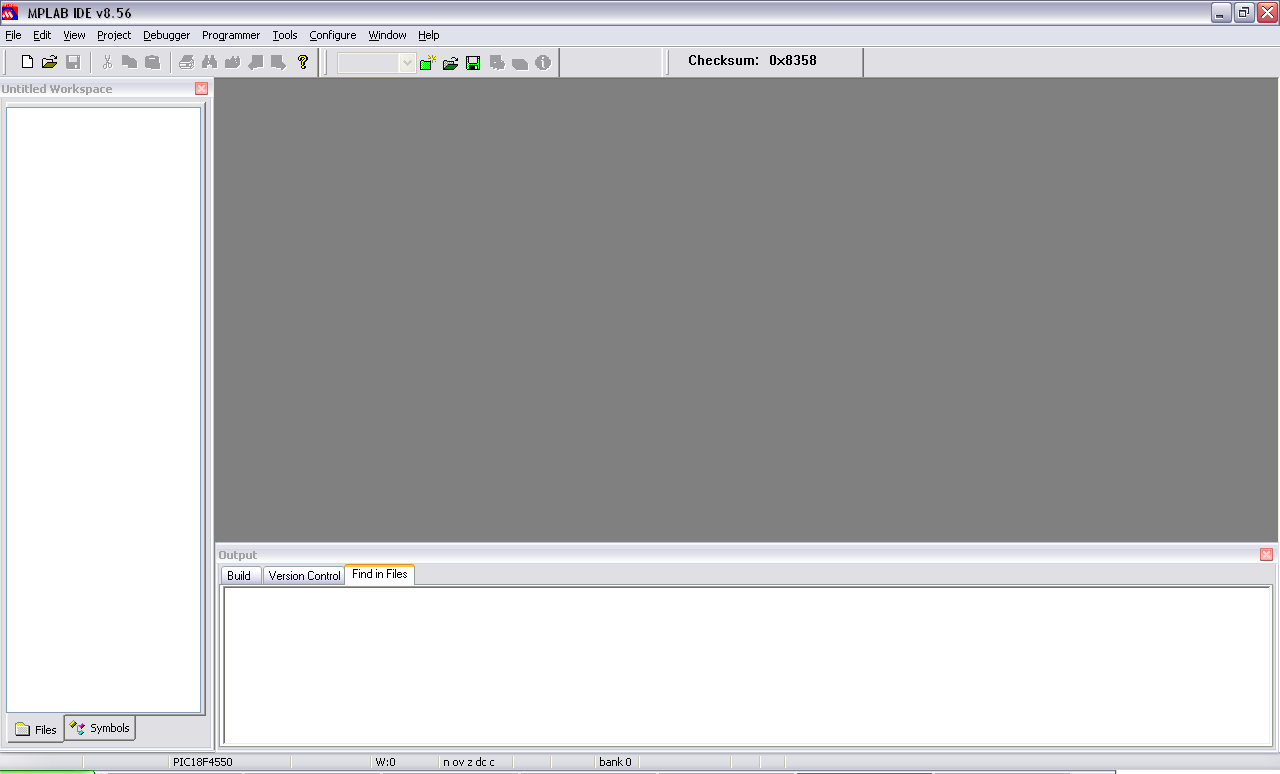
To dock the windows in MPLAB, left click at the corner of the seperate windows in MPLAB. Click on dockable or undockable to dock and undock the windows. The first photo shows the placement of the windows which are about to be docked.

Here, is the look of docked windows for Untitled workspace and output.


Here, is the look of docked windows for Untitled workspace and output.
Tuesday, August 3, 2010
Generating Eagle PCB in 3D

POVRay 3D can be used in cooperate with Eagle PCB to generate a 3D view of the PCB that we have designed. This will give us a better look on the PCB and component layout before we finalized the PCB for fabrication.
To use POV-ray:
- Click Tools -> Edit master POVRAY.INI
- A notepad file should load up. At the very bottom of it, add this line:
- Library_Path="C:\Program Files\Eagle3D\povray" (depending on where you install the file)
- Press on Render button in POV-ray
- You should get the 3D view of your PCB. Cheers ~~

Subscribe to:
Posts (Atom)